



Does the 2026 Buick Encore GX have the infotainment tech Kutztown, PA drivers want?
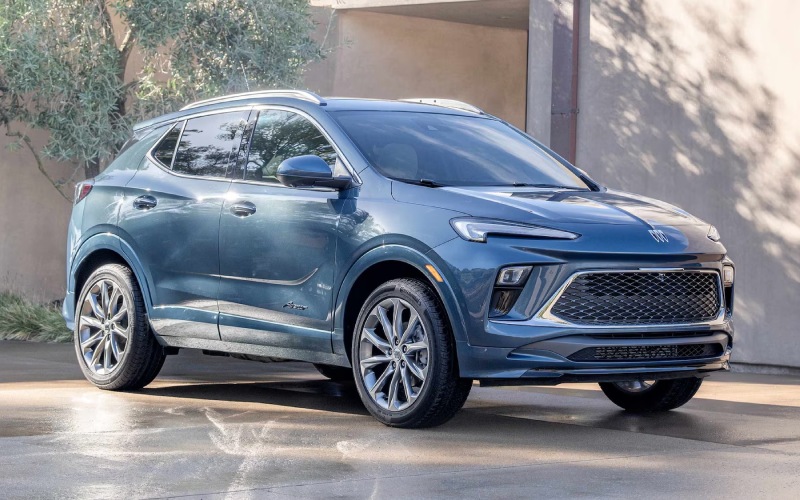
Miracle Buick of Kutztown – Does the 2026 Buick Encore GX have the infotainment tech Kutztown, PA drivers want?
Drivers who value a streamlined, modern cockpit often ask how well the 2026 Buick Encore GX handles daily connectivity. The short answer is that it focuses on clarity, speed, and fewer cords, so you can tap into navigation, messages, and playlists without creating a cable nest or scrolling through clunky menus.
Let’s take a closer look at what you can expect from the Encore GX infotainment system, how the displays are organized, and a few simple steps to get everything set up the first time. We’ll also share tips to make everyday use feel even more intuitive, whether your commute takes you through Kutztown, PA side streets or onto faster routes during the workweek.
What stands out immediately
The first thing you notice is the ultrawide 11″ diagonal HD color touchscreen. It sits confidently in the center of the dash, with bright, clean graphics and a menu structure that feels familiar from the start. Pair that with the reconfigurable 8″ diagonal Driver Information Center directly ahead of you, and you have the info you need exactly where you need it—maps and media on the big screen, plus speed, directions, and trip data right in your line of sight.
Because the layout is so straightforward, you’re not digging through layers of menus to find the essentials. The Encore GX keeps common functions close at hand, so it’s easy to learn on the first drive and even easier to love on the second.
Wireless integrations built for real life
Wireless Apple CarPlay® and wireless Android Auto™ compatibility come standard. That means your navigation, calls, messages, and playlists all move to the 11″ display without plugging in. It also means a cleaner center console and fewer steps each time you start the vehicle. Once you’ve paired your smartphone, the Encore GX remembers it and reconnects quickly the next time you hop in.
Voice control works naturally with your phone’s digital assistant, so you can send a message, place a call, or cue a playlist while keeping your hands on the wheel. If you regularly switch between work and personal devices, the system makes it quick to select which one you want to use for a given trip.
First-time setup tips
Getting started only takes a few minutes. For the smoothest first drive, try this simple sequence before you leave the driveway so you can focus on the road.
- Pair your primary phone via Bluetooth and enable wireless Apple CarPlay® or Android Auto™
- Place your favorite navigation app on the home row for one-tap access
- Customize the Driver Information Center to show trip data and turn-by-turn cues
- Set audio presets and streaming sources so music is ready to go
- Explore camera and vehicle settings while parked for quick familiarity
This quick prep pays off immediately. With your most-used apps in the right places, the day-to-day experience becomes second nature.
Living with the system day to day
What makes the Encore GX infotainment feel premium over time is how consistently it supports your routine. The screen responds quickly, so tasks like zooming a map, answering a call, or skipping a track don’t slow you down. The Driver Information Center offers useful flexibility too—if you prefer seeing navigation arrows next to your speed or toggling to fuel range and trip details, it’s easy to set up and save.
You’ll also appreciate how tidy the cabin stays when you’re not stringing a cable across the console. For longer stints on Route 222, the ability to keep your phone tucked away while using your navigation and audio on the 11″ display helps you stay present and less distracted.
Safety and the tech connection
An intuitive infotainment system is only part of the equation. The Encore GX also integrates helpful driver-assistance features that support your awareness. Automatic Emergency Braking, Lane Keep Assist with Lane Departure Warning, Following Distance Indicator, and IntelliBeam Auto High Beams work quietly in the background and step in with alerts or subtle assistance when needed. The result is a cabin experience where tech and safety feel like they’re on the same team.
Who will love this setup
If you value quick-start convenience, a clean layout, and smartphone features that just work, the 2026 Encore GX checks the right boxes. Daily commuters, first-time SUV shoppers, and drivers moving up to a more premium interior will especially like how the interface keeps everything within easy reach without overwhelming the dashboard with extra buttons. And for families that share vehicles, the simple pairing process and consistent menu structure help everyone settle in fast.
How we help you try it the right way
At Miracle Buick GMC of Kutztown, we encourage shoppers to take a hands-on approach. Pair your phone before the test drive, run your usual mapping app, and swap to your favorite streaming service. If your routine includes frequent calls, try a couple while parked to get comfortable with voice commands and the placement of on-screen controls.
Frequently Asked Questions:
Can I customize the home screen layout on the Encore GX?
Yes. You can arrange app tiles and shortcuts on the 11″ display, making it easy to put navigation and audio sources where you’ll use them most. The setup is quick and can be adjusted as your preferences change.
Does the system support multiple users easily?
It’s simple to connect more than one device and select which phone you want to use for a given drive. That’s especially helpful if you switch between work and personal phones or share the SUV with a family member.
How does the Driver Information Center help while driving?
The reconfigurable 8″ diagonal Driver Information Center lets you keep turn-by-turn directions, trip data, or audio info right in your line of sight. It reduces how often you need to glance at the center screen, which helps you stay focused.
Is this tech helpful on longer drives around the region?
Absolutely. Clear navigation on the 11″ display, snappy performance, and voice control help you manage the drive with minimal distraction. It’s great for commuting and for weekend trips, and it keeps the cabin uncluttered thanks to wireless integrations.
The bottom line for local drivers
If you want a small SUV that treats technology as a true convenience rather than a chore, the 2026 Buick Encore GX delivers. The displays are crisp, the menus make sense, and the wireless integrations simplify your day. Pair that with a quiet, comfortable interior and supportive driver-assistance features, and you have a cabin that feels calm and capable from morning commutes to evening errands.
When you’re ready for a deeper look, stop by our showroom serving Kutztown, Macungie, and Bethlehem. We’ll set up the system the way you use it, walk you through useful shortcuts, and send you on a route that mirrors your routine so you can decide if this is the right fit for your everyday. Your tech, your drive—made easier in a thoughtfully designed small SUV.
0 comment(s) so far on Does the 2026 Buick Encore GX have the infotainment tech Kutztown, PA drivers want?