



Does the 2026 Buick Envista include wireless Apple CarPlay® and Android Auto™ for drivers around Kutztown, PA?
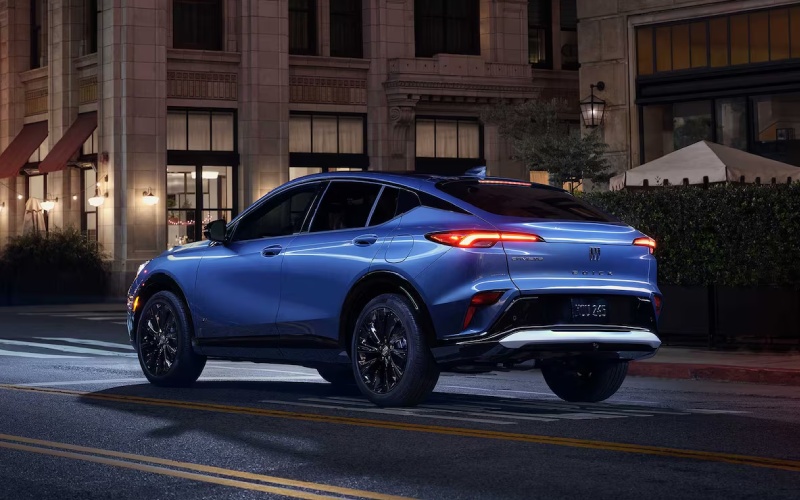
Miracle Buick of Kutztown – Does the 2026 Buick Envista include wireless Apple CarPlay® and Android Auto™ for drivers around Kutztown, PA?
The 2026 Buick Envista was designed to make everyday tech feel natural, and that starts with seamless smartphone integration. If you are wondering whether Envista supports wireless Apple CarPlay® and wireless Android Auto™ without the tangle of cords, the answer is yes—Envista’s wide, bright display and clean interface make it easy to tap into your favorite apps the moment you get in.
Below, we will break down how the system works, which trims and packages to consider, and a few practical tips for getting the most out of your setup during commutes, school drop-offs, and weekend runs around town.
How wireless smartphone integration works in the 2026 Envista
Every Envista centers the cabin around an Ultrawide 11″ diagonal HD color touchscreen, paired with a reconfigurable 8″ diagonal Driver Information Center. Wireless Apple CarPlay® compatibility and wireless Android Auto™ compatibility connect your phone to that large display so you can access maps, music, messages, and calls while keeping your device in a pocket or bag. A simple initial pairing links your phone; after that, Envista can reconnect automatically when you start the vehicle.
Navigation is especially smooth on the extra-wide screen—maps show more context at a glance, lane guidance is easy to read, and traffic alerts are quick to spot. Voice control through Siri or Google Assistant helps you keep your eyes on the road while sending messages or adjusting playlists.
Setup tips for a simple first drive
Getting started takes only a minute or two. Have Bluetooth and Wi-Fi enabled on your phone, then follow the on-screen prompts to pair. Once linked, keep your device’s software updated to benefit from the latest features and stability improvements. If you want a truly cord-free cabin, consider available wireless smartphone charging to keep your battery topped up during longer drives.
- Confirm compatibility: Check that your phone software version supports the latest Apple CarPlay® or Android Auto™ features before pairing.
- Organize your apps: Arrange your most-used navigation, music, and podcast apps on the first screen so they are easy to reach on the Envista display.
- Use voice controls: Rely on Siri or Google Assistant for messages, calls, and quick searches to minimize distraction.
- Save favorite routes: Pin regular destinations—work, school, and home—for fast access on morning and evening drives.
These simple steps help you take full advantage of Envista’s clean, intuitive interface from day one.
Trims, packages, and what to consider
All trims feature the Ultrawide 11″ diagonal HD color touchscreen and support wireless Apple CarPlay® compatibility and wireless Android Auto™ compatibility. If you want a fully cord-free experience, look for available wireless smartphone charging via the Convenience II Package (also offering a power liftgate and Rainsense automatic wipers). The Avenir trim lists wireless smartphone charging among its highlights, bringing added luxury alongside perforated leather-appointed, heated front seats and a heated flat-bottom wrapped steering wheel.
If an athletic look is your style, the Sport Touring trim adds gloss black exterior cues, ST logo-embroidered front-seat head restraints, and an interior with Santorini Blue accents—without giving up any of the core tech. Preferred keeps the interface simple and modern with cloth with leatherette seating and 17″ bright silver-painted aluminum wheels.
Local advantages around Kutztown and beyond
Wireless integration shines during quick runs across campus, grocery trips with a full list, and longer drives along Route 222. No more plugging in for a 10-minute hop; your apps are simply there. When traffic gets busy near town or along main corridors to nearby communities, voice-controlled navigation and hands-free calling help reduce distractions.
If you would like a guided demo that mirrors your daily routine, the team at Miracle Buick GMC of Kutztown can set up your phone, walk you through the display, and show you how to customize pages for the information you use most. We are serving Kutztown, Macungie, and Bethlehem, and we are happy to tailor a route that includes your usual streets and stops.
Frequently Asked Questions:
Do I need a cable to use Apple CarPlay® or Android Auto™ in the 2026 Envista?
No. Envista supports wireless Apple CarPlay® compatibility and wireless Android Auto™ compatibility, so you can connect without a USB cable after the initial pairing.
Is wireless smartphone charging available?
Yes. Wireless smartphone charging is available and can be added via equipment packages or found among Avenir highlights, helping you keep your phone powered during longer drives.
Will I still get voice control for calls and messages?
Yes. Siri and Google Assistant work through Envista’s interface, enabling voice-controlled calls, messages, and searches so you can keep your hands on the wheel.
Does wireless integration affect sound quality for music and podcasts?
Audio streams cleanly through the system, and Envista’s QuietTuning® with Active Noise Cancellation helps preserve clarity for conversations, calls, and entertainment during highway driving.
Wireless integration makes Envista feel instantly familiar. With the wide display, responsive voice control, and available wireless smartphone charging, you get a polished tech experience that supports every part of your day. If you are ready to try it with your own apps and routes, set up a visit and we will have everything paired before you pull out of the lot.
0 comment(s) so far on Does the 2026 Buick Envista include wireless Apple CarPlay® and Android Auto™ for drivers around Kutztown, PA?