



How Up to 14 Camera Views on the 2026 GMC Sierra 2500 HD Simplify Towing Around Reading, PA
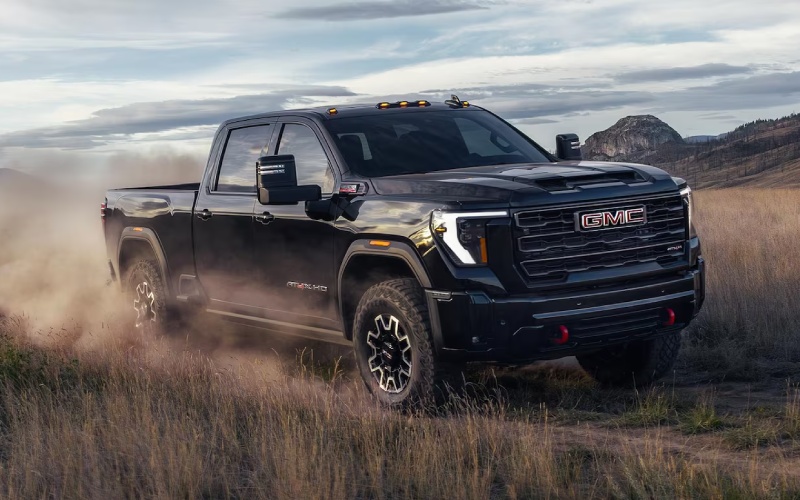
Miracle GMC of Kutztown – How Up to 14 Camera Views on the 2026 GMC Sierra 2500 HD Simplify Towing Around Reading, PA
Towing doesn’t have to feel like guesswork—especially not with the 2026 GMC Sierra 2500 HD’s available camera technology. Around Reading, PA, where narrow side streets, angled driveways, and busy lots can make maneuvering a trailer stressful, up to 14 available camera views bring confidence back to the driver’s seat. If you’ve ever wished for a second set of eyes when backing to a hitch or lining up a boat at Blue Marsh Lake, this is the toolset that changes your routine from tense to smooth.
In this guide, we break down the most useful camera views for day-to-day towing, explain how they complement the ProGrade® Trailering System and In-Vehicle Trailering App, and share practical tips for using them on local roads and longer highway trips. Whether you’re pulling a landscaping trailer during the week or a camper on the weekends, the Sierra 2500 HD’s technology helps you move with more awareness and less effort.
Key Camera Views That Matter in Reading, PA
- HD Surround Vision: A composite, bird’s-eye perspective that’s invaluable when parking or navigating tight city blocks.
- Hitch View: Lines you up precisely to the receiver—no more jumping in and out to check the alignment.
- Rear Top-Down: A high vantage angle for backing to a loading dock or fitting into tight spaces.
- Transparent Trailer View: Cleverly processes images so you can “see through” the trailer to traffic behind you.
- Bed View: Perfect for checking fifth-wheel or gooseneck connections and monitoring cargo tie-downs.
- Front View: Helpful on angled driveways or blind intersections when the trailer blocks your rear.
Each of these views is designed to solve a real-world problem we all face with trailers—getting lined up, staying centered, and keeping track of what’s behind or alongside you. Around Reading, where a quick run through West Reading or a narrow approach near a job site can leave you guessing, these angles reduce surprises and cut down on back-and-forth corrections.
How the Cameras Work with ProGrade® Trailering
The Sierra 2500 HD’s available ProGrade® Trailering System and In-Vehicle Trailering App bring everything together—pre-departure checklists, trailer profiles, and maintenance reminders right on the center screen. Camera views integrate seamlessly, so you can switch perspectives as you set up. Start with Hitch View to back up with accuracy, switch to Bed View to confirm a secure connection, and toggle over to HD Surround Vision as you pull out of the driveway.
Once you’re on the road, Transparent Trailer View becomes a game changer. It helps you see vehicles or cyclists behind the trailer, giving you more confidence to merge or change lanes on the West Shore Bypass. On the highway, add available Adaptive Cruise Control with trailering for smoother following gaps and less throttle-brake cycling. It’s the kind of integrated tech that clarifies what you need to do next and makes trailers feel far more manageable.
Real-World Tips for Local Maneuvering
- Use guidelines: Lean on the on-screen guides in Hitch View and Rear View to stay centered and reduce sway from the start.
- Check before turns: Quick-glance HD Surround Vision helps spot curbs and poles when turning onto tight side streets.
- Practice your switch: Get comfortable toggling between views while stationary, so it’s second nature when moving.
- Refresh settings: Save trailer profiles in the In-Vehicle Trailering App—weights, tire pressures, and service logs.
- Pair with mirrors: Cameras augment, not replace, your mirrors; set them wide to minimize blind zones.
These small habits pay off immediately. The more you use HD Surround Vision and Transparent Trailer View to “map” your environment, the more natural your adjustments will feel—especially when threading your rig into a crowded lot off Penn Street or backing up to a garage with a tight approach.
Confidence on Grades and Highways
Reading-area hills and highway merges can add stress, but the Sierra 2500 HD’s available Duramax® 6.6L Turbo-Diesel V8 and 10-speed automatic provide confident, consistent pull. Camera coverage gives you the sightlines to change lanes and monitor the trailer, while the ProGrade® Trailering tools keep tabs on trailer tire pressures and lighting checks before you climb a grade. If you’re stepping up to fifth-wheel towing, the Bed View camera helps you confirm a clean connection and keep an eye on your setup during the first miles of a trip.
For longer hauls—say, out toward Lancaster or up past Allentown—the steady feedback from the cameras and the trailering app reduces fatigue. Instead of wondering what’s happening back there, you have visibility at the touch of a button. And that visibility is where better decisions start.
Frequently Asked Questions:
Do I need to add extra cameras to get all 14 views?
The truck is prepped for multiple camera angles, and many views use built-in lenses. Some specialized perspectives, such as certain trailer-mounted views, may require available accessory cameras to complete the full set.
Is Transparent Trailer View difficult to set up?
It’s straightforward. The system guides you through pairing and calibration, and once configured for that trailer profile, it’s easy to reactivate the next time you hitch up.
Can the camera system help with fifth-wheel and gooseneck towing?
Yes. Bed View is especially useful for monitoring the coupling, and the other rear and surround views help when maneuvering or checking alignment with loading zones.
How does the In-Vehicle Trailering App interact with the cameras?
It streamlines pre-departure checks, stores trailer profiles, and integrates with available camera views so you can switch angles as you work through your checklist, hitch, and roll-out steps.
Are these features available across all trims?
Camera coverage and trailering features vary by trim and package. Our team can help you choose the configuration that fits your towing routine, whether you prefer SLE or SLT tech value, AT4/AT4X off-road capability, or Denali/Denali Ultimate luxury and convenience.
For many owners, the Sierra 2500 HD’s camera suite is the difference between hoping you’re aligned and knowing you are. It’s also the difference between waiting for a helper and getting it done solo. That makes a big impact in day-to-day life around Reading, where space can be tight and traffic is rarely patient.
When you’re ready to see how these views work together, our product specialists can demonstrate them step by step and help you decide which packages match your trailering style. We’ll show you how the screens display, how to toggle views, and how to set up and save your trailer profile for repeatable, faster hitching. Miracle Buick GMC of Kutztown is here to make sure your Sierra 2500 HD is set up to work the way you do, with the right tools dialed in from day one, serving Allentown, Reading, and Kutztown.
0 comment(s) so far on How Up to 14 Camera Views on the 2026 GMC Sierra 2500 HD Simplify Towing Around Reading, PA